AI Agents for Daily Life Tasks
Six ways I use AI agents outside work, and the practices that made them useful.
Introduction
In my observation, most people stick with the work-related use case for AI agents: chat/question answering, deep research, software engineering. Beyond that, not much. I think this leaves value on the table. In practice, agents can be valuable to reclaim personal time and improve life quality when applied to daily life tasks.
In the rest of this post I'll highlight some examples of such tasks where I have agents integrated - using agents to supervise a bathroom remodel, building a bathroom cabinet (fun/hobby), installing wall slats for my home office space, a custom app for tracking my fitness on my Peloton bike, taxes, and my to-do list. The end of the article covers the principles and practices behind it.
Use Cases
I have used agents quite successfully across a few areas: things I made or supervised in the physical world, an app I built for myself, and digital and life organization.
Supervising a Bathroom Remodel
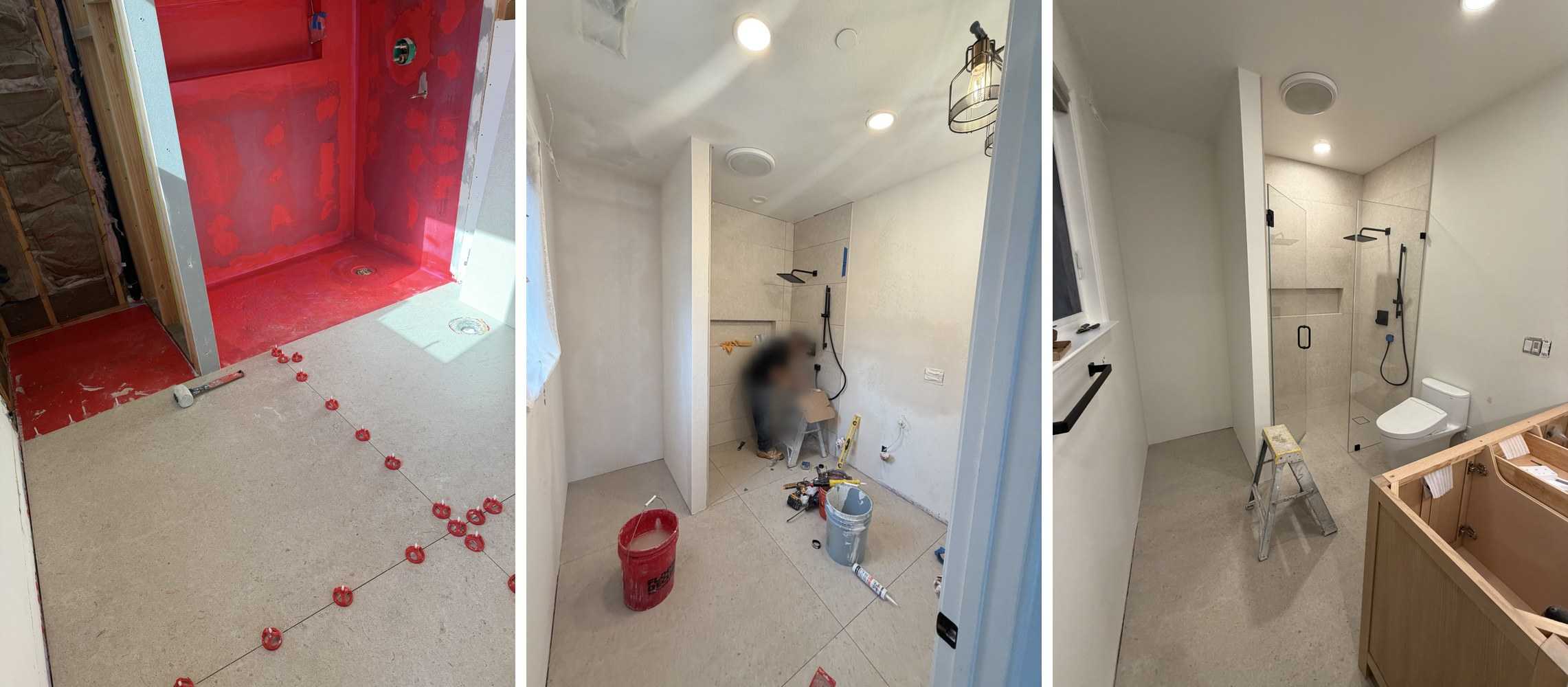
Earlier this year my wife and I remodeled our bathrooms. Agents made the job easier to run and the result better. My wife used Gemini (Nanobanana and Pro) to iterate on the space: render it, ask questions, make changes, until she had a design she wanted. That alone was a massive win, since rapidly testing visual ideas is hard with a typical design team. She settled on large Spanish tiles, and from the picture, Gemini pointed her to the stores that carried that exact pattern, down to the aisle. Normally that means shopping across multiple stores.
Large Spanish tiles are uncommon. They need a particular thinset, leveling tooling, and placement pattern, none of which I knew. Our contractor was familiar with remodels, but large Spanish tile was not obviously their forte, so I had Gemini produce a guide covering all of it, in English and in Spanish.
At each stage I photographed the work and asked my Claude and Gemini sessions what to double check next: waterproofing, slope, and so on. At one point Gemini flagged, from a photo, that insulation was missing from a section of wall. It was caught before the walls were closed, so it was fixed cheaply. Later it would have cost far more, if it had been found at all. I was not trying to interfere with the work, only to understand it well enough to ask the right questions.
Building a Bathroom Cabinet
The bathroom design in the previous section also included an alcove 31 inches wide, 38 inches deep and 107 inches floor to ceiling. At that depth nothing store-bought fits. I have always wanted to get into woodworking, so I decided to build the cabinet myself. I had never built one. Framed or frameless, what plywood, what thickness, what joinery, what finish, what order. You don't know what you don't know.
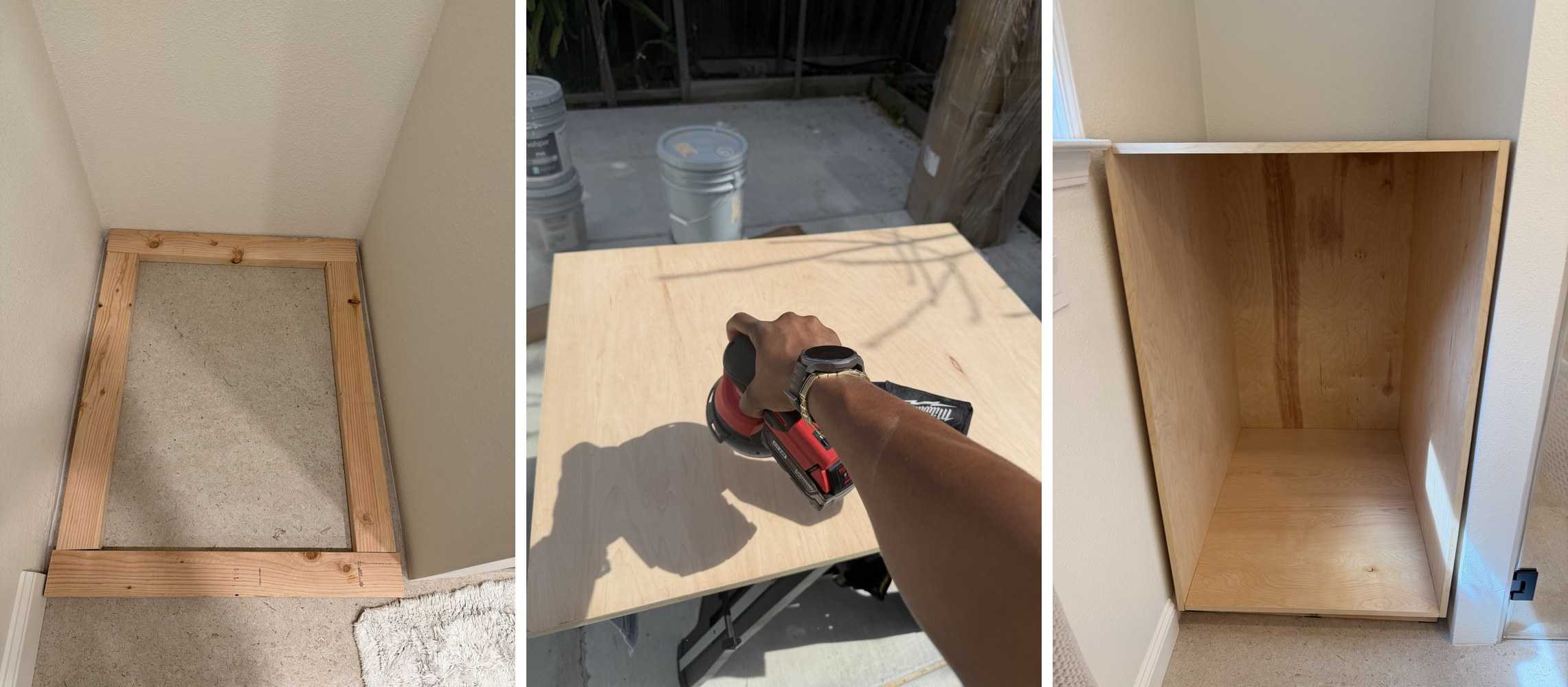
The entry doorway to the bathroom is narrower than the alcove the cabinet had to sit in, so building the whole thing outside and carrying it in was never going to work. The design had to be parts I could build outside on a work table and then assemble inside the bathroom, ideally on my own, or with my wife holding one end. In practice that is quite difficult, and Claude was a strong partner in reasoning through it. It did the same for the joinery, for making the cabinet moisture resistant, and for which tools to buy when I had no equipment at all.
The plan, the cut lists, the expense tracker and the diagrams all live in one repo. Changing one variable, like going from four stacking sections to two, cascaded through all of them. Doing that on paper would have been painful.
Claude also makes mistakes. For example, the width of the drawer slides was not carefully calculated, which only showed when it was time to fit the drawers in.
Installing Wall Slats in My Home Office
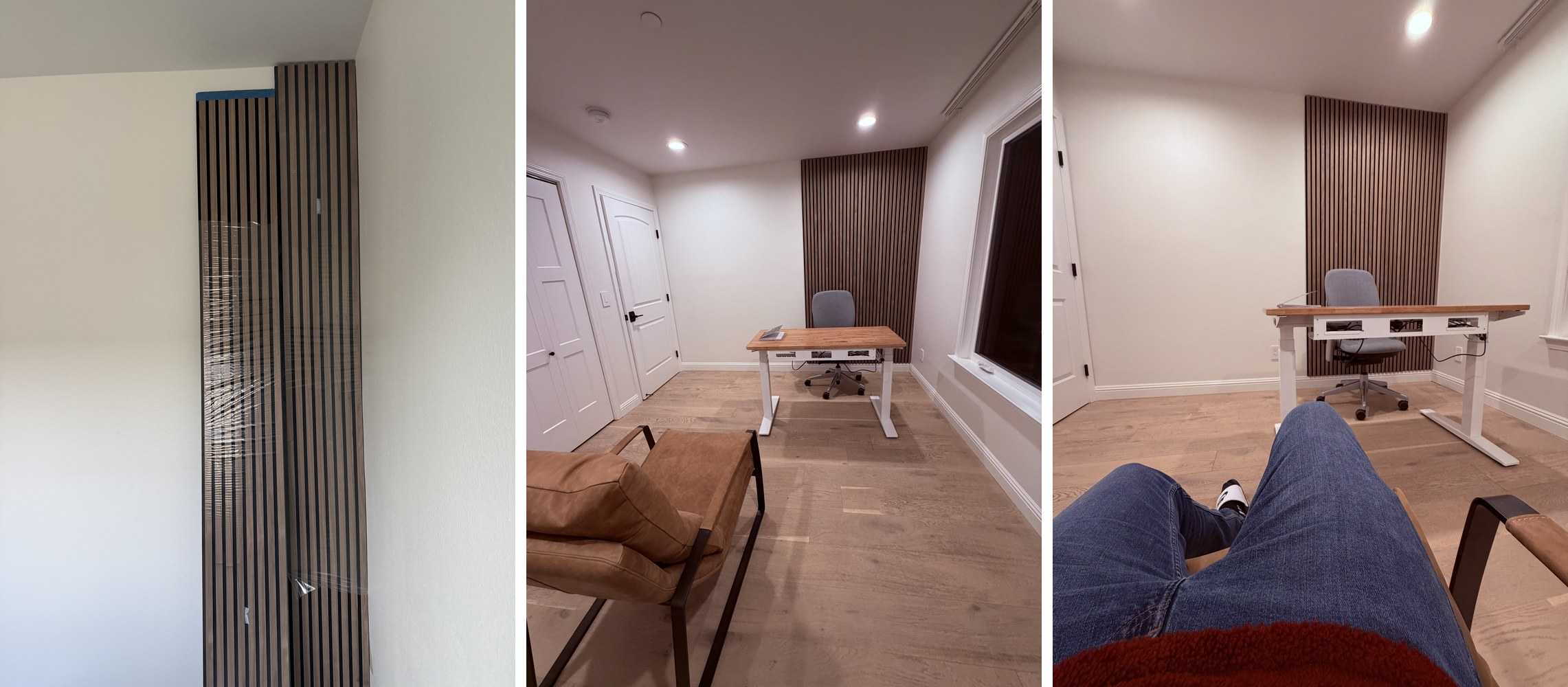
Wall slats are a nice backdrop for a room (especially a home office). I had seen and loved them online but the details of building or installing them were beyond me. But hey, agents can help here, can't they? Hint: Yes!
Claude was a helpful thought partner in making decisions around installing the wall slats. It started with sourcing: where to order the panels, and whether that was better than making them myself. Then attachment, screws or glue, and the trade-offs for each. Then the cut itself, which saw blade to use and which direction to cut, since the blade has an impact on the quality of the cuts. Finally, how to measure and how to install.
One of the things that could go wrong here is that you still need to give feedback to the model. For example, the more common approach for wood slat install is to glue the panels to the wall, and that is what Claude suggested. However, glued panels can be hard to remove; ease of removal was important to me and I had to steer Claude away from this approach. If you are not in the habit of pushing back and being curious, you end up with design choices that might not meet your preference.
Fitness Tracking
I have had a Peloton bike for four years, but Peloton has no API, so getting the data out and keeping track of workouts was never easy. Back in 2022 I had a rough idea how to do it, but it would have taken many weekends of work, so I never started.
Agents put projects like this within reach. In a weekend I had a first version of a full featured fitness tracking app running (see the video below). It reads sensor data from the bike (10Hz), tracks sessions, supports custom workouts, and talks to my watch (or available heart rate sensors) for heart rate. It began with a design session with Claude where I described the task, followed by minimal tests to derisk the project (e.g., ensure both bike and mac were on the same network, configure wireless developer mode access to install and launch apps), understand my preferences and build out version one.
Once I set up this workflow, I mostly just started a workout, connected to the Claude session on my phone, and dictated fixes I found either during or after workouts and I still do that till today. I can tune workout duration to fit my timelines, create custom workout tracking, plot and analyze consistency, all of which help me stay on course. I have now been more consistent in the last 5 weeks since I created this app compared to the rest of the entire year. Even better I have quick answers on my progress and can brainstorm plans for improvement.
Reviewing My Taxes and Financial Status
Three years ago, when I started working on AutoGen, I remember chatting with colleagues that a North Star for autonomous agents was taxes. We were looking for tasks that are important but laborious, the stuff everybody needs to do and nobody wants to do (also in part because they took so long). It is exciting to see it come full circle, because this year Claude did significantly help me understand and file my taxes.
What did it do? It gave me a clear estimate of what I would owe, what factors drive that number, and how I might plan next year to arrive in a better financial position. That is normally several conversations with my CPA and hours on the phone. I still use TurboTax and a CPA, and I did double check that the numbers Claude provided were the same as what the CPA ended up providing.
Your CPA can help you because they can see all your documents, and Claude can help you for the same reason. The key point is spending a bit of time assembling the right context: everything you would hand to TurboTax, arranged in one folder and made available to the agent. Then you can ask questions that span years rather than one filing.
There are privacy angles to all of this. I am choosing to make the data available myself: Claude does not get an API to my bank or anything else, and it all lives in a folder on disk, optionally synced to a private GitHub repo. I have also disabled data sharing and training on my data in my Claude settings. I am comfortable with this privacy calculus, and it is a choice everyone has to make for themselves.
The quality of life step up is that I can model my financial position on demand, at any point in the year rather than only at tax time.
Tracking Global To-Dos
I have used Claude to keep track of my global to-dos. At any given time I have obligations as a dad, as a cousin, and as a member of a family distributed across multiple countries. The reason you get a personal assistant is exactly this.
Each thread is a markdown file naming the next concrete action, its size, and what it is blocked on. A script turns those files into one board, ordered by what I can pick up now: active, not blocked on anyone else, smallest first. Size describes the next action and not the whole project, so a multi-month thread whose next step is a thirty-minute decision is small. It carries 35 threads, and I can read the board from my phone.
I rarely get a free day. What I get is two hours here, one hour there, and the board tells me what fits each one. 30 minutes while my son finishes a swim class is enough to kick off an agent from my phone; three hours during a scout lesson is enough to write.
Principles and Practices
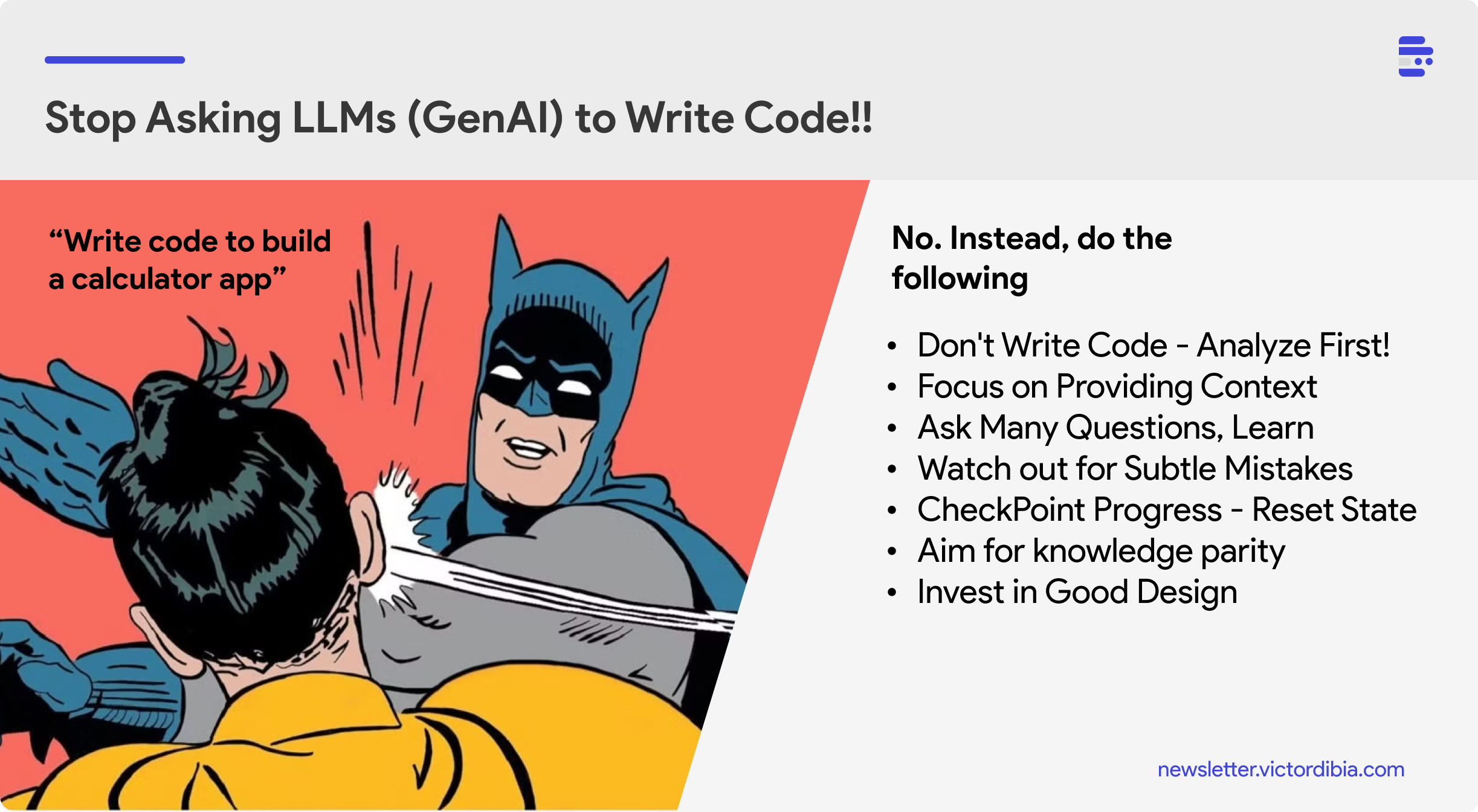
Across working on these projects (and with AI agents in general), I think the following practices have helped.
Start in Interview Mode
Before any work starts I spend an hour or two describing the problem and answering questions about it, exploring every edge case before any development is done. That becomes a design document in a repo (or local folder), and I read all of it before anything gets built. In some ways this is similar to emerging practices around spec driven development.
Assemble Context
You need efficient ways to represent context. For me, all of the context is private GitHub repos, organized so that my files are long-lived and persist across machines. That is where context lives.
A folder works here, using GitHub is for portability across machines and for redundancy. The critical thing is that the files are organized in a way the any agent can parse and use efficiently.
Setup can be complex, but the value compounds over time. Once I took the time to set up an expenses repo, it became natural to add and track other things under it.
Move Between Local and Remote
Set up your workflow so you can move fluidly between local and remote. On my phone I can take pictures, connect to my desktop and share updates, which is exactly what made the remodel supervision work. Send a photo at each stage and ask what to check before the next one. That is what caught the insulation.
The clean answer is cloud agents. A cloud session runs on cloud infrastructure instead of on your machine, so it keeps running after you close your laptop and you can steer it from any device.
Remote Control solves the same problem from the other end. Claude keeps running locally the entire time, so execution and filesystem access stay on your machine, and only the control surface moves to the phone. I keep a laptop running with remote control enabled, so I can push little tasks forward from my phone as I have time. You can attach a photo from the app, which is how the remodel pictures got in front of an agent at each stage.
Dictate Rather Than Type
I speak much faster than I type. Most people likely do. The Claude plugin for VSCode has a clean dictation button experience. macOS also supports configuring local dictation. This makes feedback and interaction faster. This also means you can dictate work while on the treadmill or biking.
Supervise the Trajectory
Build the discipline to always supervise the agent's trajectory. I have written about this previously in Vibe Coding with Engineering Discipline; one of the points there has to do with maintaining context. When it proposes an approach, ask what the side effects are. As you outsource and accelerate the work, ensure you keep the understanding.
Record Recurring Notes
Be intentional about documenting recurring observations. In my writing, I require that my words be used, and that any changes are approved by me manually. That becomes an entry in CLAUDE.md or in memory, saved and brought in as a preference. Be diligent about what to encode and when to encode. When a preference turns into a whole procedure, it graduates from a note to a skill. My writing process is one: a global skill across my system that interviews me and composes only from what I actually said. This post was written under it.
Build Verification Loops
Naturally, you cannot read everything, so automate the part a machine can check. I keep deterministic hooks that identify issues fast: grammatical structures you can identify in code, constructions that are just not accepted. They are clean rules rather than opinions, and they become the evaluation and verification gate. Two of them check every paragraph of this post. Verification can also be instructions or reusable skills.
Conclusion
Agents can be applied to everyday life tasks, and the quality of life improvement is significant.
The principles that keep you effective here translate back to work. Starting in interview mode, dictating instead of typing, assembling the context, moving between local and remote, supervising the trajectory, building verification loops, and recording what recurs are the same things that get the most out of agents for work tasks like software engineering.
One caution. Agents should work for you. It is easy to invert that and let them take up your attention instead, to keep giving tasks at the risk of your family and the rest of your life. I have written about that slope in /upgrade ... or ..., in the context of coding and work. It applies at least as much once the tasks are personal.
If you have found ways to reclaim your own time with this, I would like to hear it.